From Field Work to Verified Closure.
ClearLine connects the pipeline, the work performed on it, field results, Findings, corrective action, verification, and evidence in one operating history.
Qualified personnel remain responsible for engineering, integrity, regulatory, safety, MAOP, and compliance decisions. ClearLine keeps the work and the evidence connected; it does not make those calls.
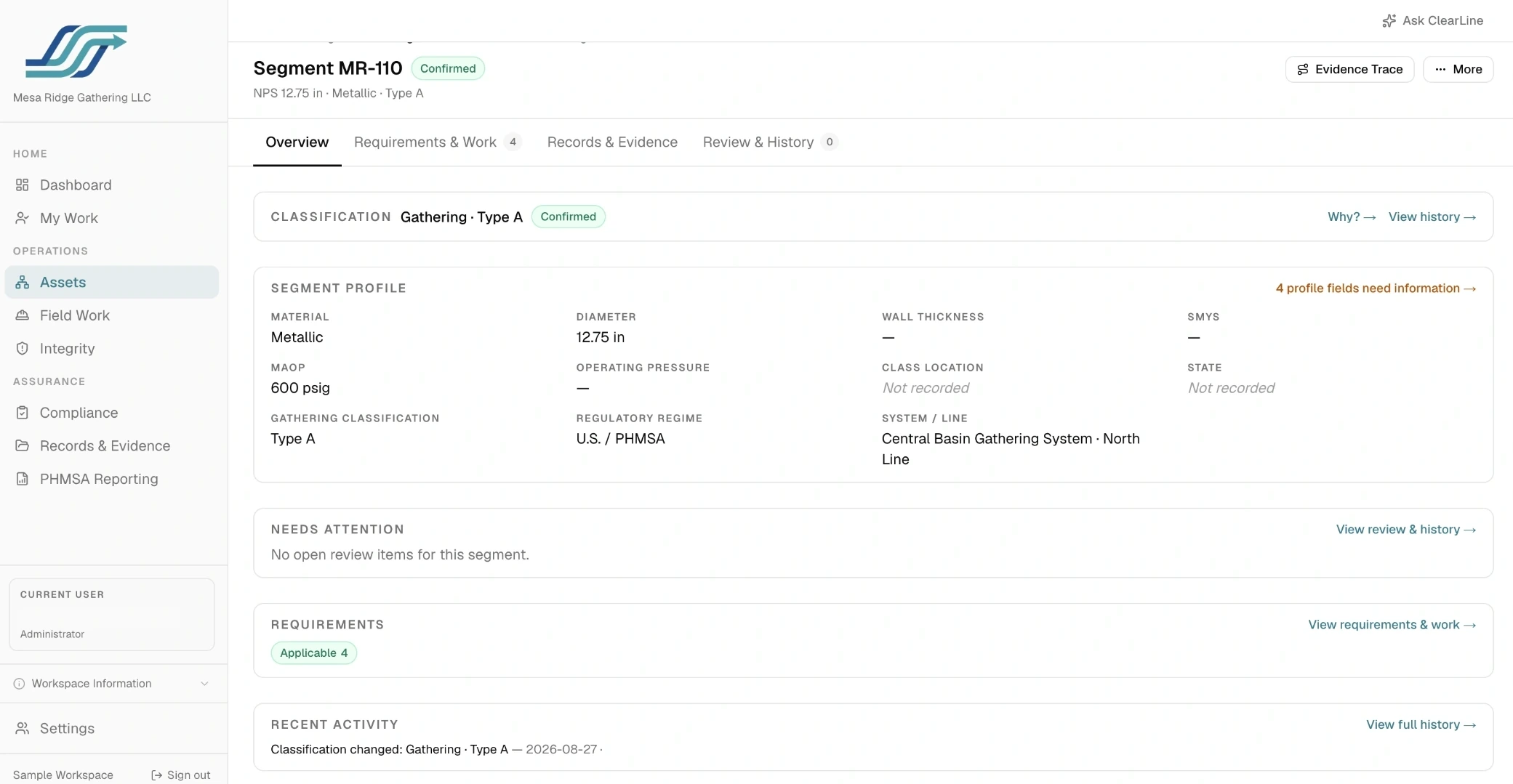
Organize CP Systems and the assets they protect.
Keep Segment, CP System, Test Station/Rectifier assets, monitoring work, and reading history connected — including CP Systems that cover multiple Segments, and Segments covered by more than one CP System, rather than forcing a strict one-to-one hierarchy.

CP System & Segment Structure
Organize CP Systems, Segments, and assets the way your team's coverage is actually structured.
Asset & Segment Identity
Track the physical assets and Segments a CP System covers, and how they relate to each other.
Requirement Catalog
Define and maintain regulatory, state, operator, engineering, and voluntary program requirements that may be relevant across the workspace. The catalog defines what a requirement means; applicability is evaluated separately for each Segment.
Applicability Determinations
Record which requirements apply, to what scope, and on what basis, with operator sign-off.

From planned work to a documented finding.
Plan and assign field work, capture readings and observations, and review what comes back — connected to the asset and workflow they belong to.
If follow-up is needed, the result can continue into Integrity as a tracked Finding.
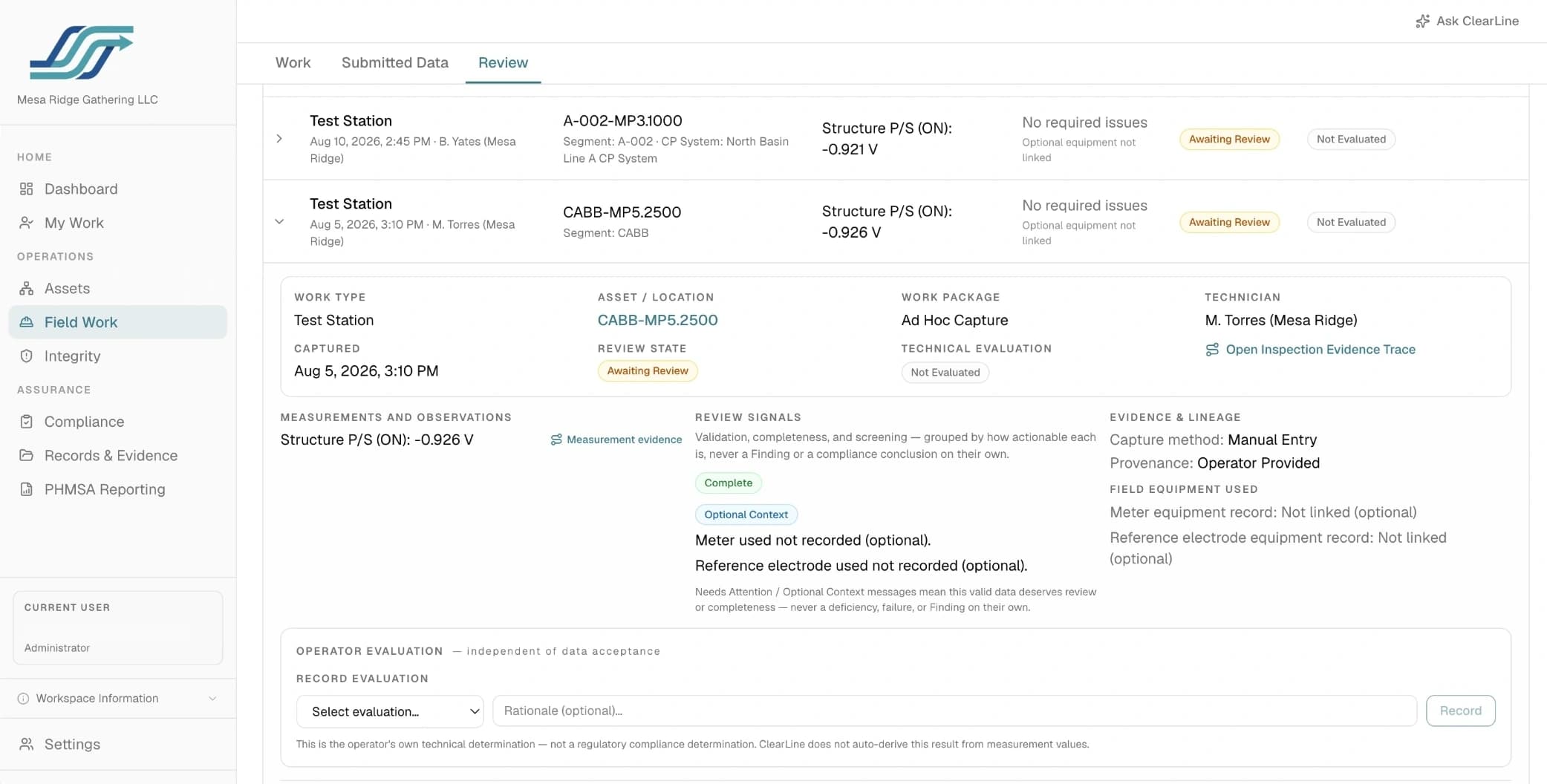
Plan
Assign
Capture
Review
Keep the evidence connected to the work.
Field records, observations, corrective actions, verification, and supporting evidence stay linked to the work and asset they belong to. Missing evidence is surfaced directly, and every displayed value traces back to its supporting record and source so it can be checked.
ClearLine does not certify records as TVC or determine regulatory sufficiency. The operator and its qualified personnel retain responsibility for all TVC determinations.
Discuss evidence and records review →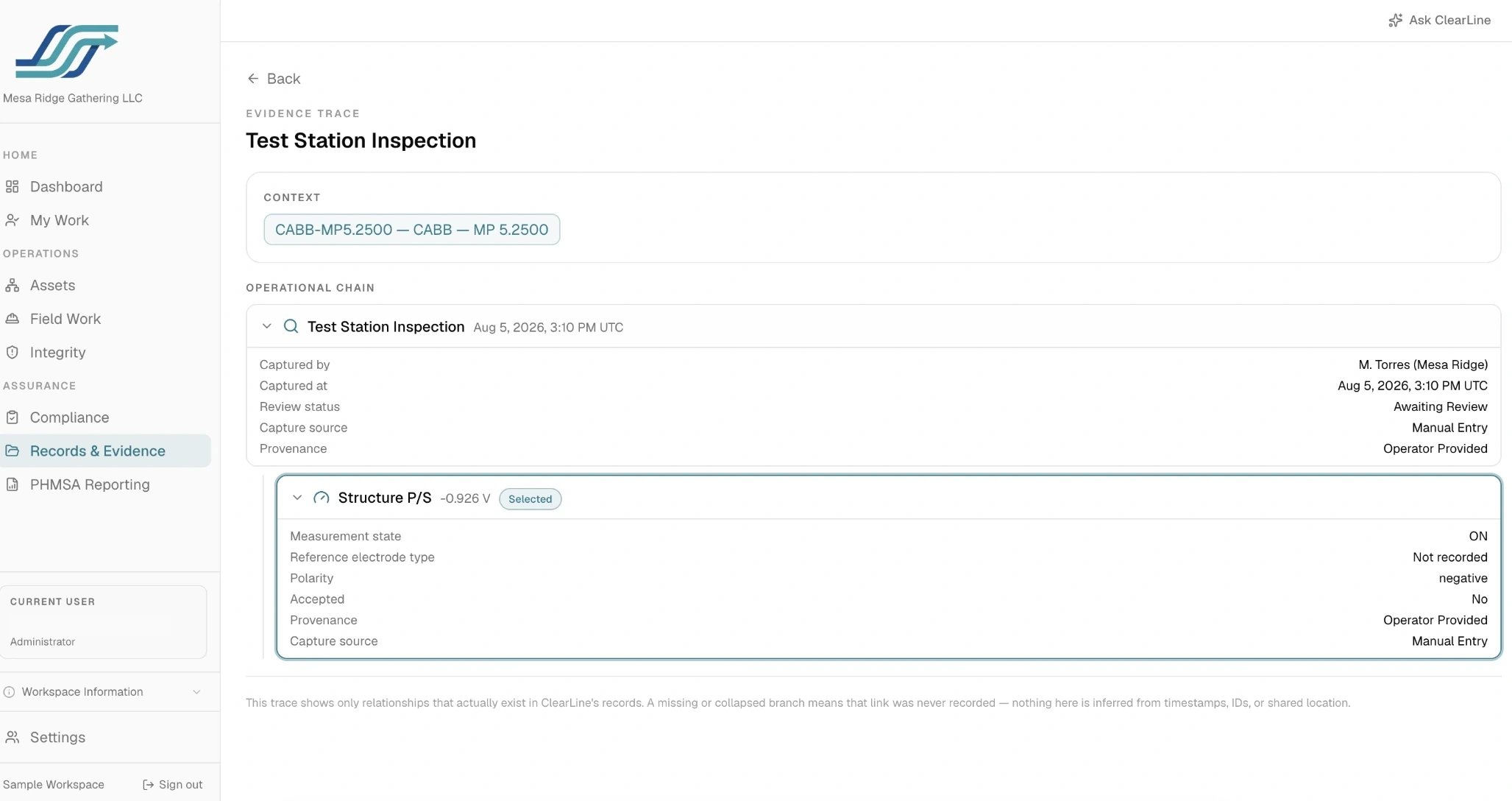
ClearLine can begin with operator-approved records, drawings, and structured exports — see what a Pilot needs to start →
ClearLine organizes and connects the work within an approved scope. Qualified operator personnel retain responsibility for engineering, integrity, regulatory, safety, MAOP, and compliance determinations.
See how ClearLine keeps the operational history connected.
Start with a walkthrough, or discuss a limited deployment around one defined workflow.